How to Contribute to Open Source: A Practical Guide
A practical, honest guide to finding projects worth contributing to, reading a codebase before touching it, making your first pull request and handling review feedback. From someone who has done it and built a 217-topic Git course in the process.
13 June 202612 min read
Open Source
Git
GitHub
Career
Community
Open source software is everywhere. The browser you are reading this in, the operating system running it, the programming languages and frameworks that built the web: almost all of it is open source. Millions of developers contribute to it every day. And yet most developers who use open source software have never contributed to it. The gap between user and contributor feels larger than it is.
This post is a practical guide to crossing that gap: finding the right project, understanding the codebase before you touch it, making your first contribution and handling the review process gracefully. It is written from the perspective of someone who has done it repeatedly, built an open source Git course with 217 files and tracked merged PRs to external repos in a personal dashboard.
What Open Source Actually Is
Open source software is software whose source code is publicly available and licensed in a way that permits others to view, use, modify and distribute it. The licence matters: an MIT licence allows almost anything including commercial use; a GPL licence requires that derivative works also be open source; a proprietary licence with a public GitHub repository is not open source, just public. When people say 'open source contribution' they almost always mean: contributing code, documentation, tests or other improvements to a project under an open source licence.
The open source ecosystem includes everything from single-developer hobby projects to software maintained by foundations and used by billions of people. Linux, Node.js, Python, React, PostgreSQL, VS Code and Firefox are all open source projects you can contribute to. The barrier to entry varies enormously by project size, codebase complexity and maintainer responsiveness.
Why Contribute?
There are four honest reasons to contribute to open source, and they are all valid.
Learning: reading and modifying production-quality code written by experienced engineers is one of the fastest ways to level up. You see patterns, conventions and architectural decisions you would not encounter in tutorial projects.
Career: merged pull requests to reputable projects are concrete, verifiable evidence of engineering skill. They link directly from your GitHub profile. They are more credible than side projects you built alone because they survived code review.
Community: you become part of the ecosystem you use. You understand the software better, you meet the people who build it and you occasionally make it better for everyone.
Fixing your own problems: the most immediately motivated contributions are fixing bugs or adding features you personally hit. 'I needed this and it did not exist' is a better motivator than 'I should contribute more'.
Finding Projects to Contribute To
The best first contribution is to something you already use. If you use a library, a CLI tool or a framework regularly, you already have context that most first-time contributors lack. You know what it is supposed to do, you probably know the documentation well and you have opinions about what could be clearer or better. Start there.
If you want to explore beyond your existing tools, there are several good starting points. GitHub Explore shows trending repositories and topics. The 'good first issue' label is used by many maintainers specifically to flag tasks that are approachable for newcomers: self-contained, well-described and not requiring deep knowledge of the whole codebase. Filtering by 'good first issue' on GitHub Search or on dedicated sites like Good First Issue returns a curated list of these.
Up For Grabs and First Contributions are platforms built specifically to connect first-time contributors with welcoming projects. They are worth browsing if you are looking for a structured starting point.
Language and domain matter. Contributing to a Python project is easier if you are comfortable with Python. Contributing to an embedded firmware project is easier if you know C and have some hardware context. Do not let unfamiliarity be the only filter, stretching is fine, but be realistic about the ramp-up time a completely unfamiliar stack requires.
Understanding a Codebase Before Touching It
The single biggest mistake first-time contributors make is jumping straight to code before understanding the project. A pull request to a project you do not understand will either be wrong, duplicate existing work or conflict with the maintainer's direction. None of these is obvious until the review, and fixing them is demoralising for everyone.
Before writing a single line, do the following in order. First, read the README completely. It describes what the project is, what it is not and sometimes who it is for. Second, read CONTRIBUTING.md if it exists. This is the maintainer's explicit instructions for how contributions should be structured: branch naming conventions, testing requirements, commit message format, whether to open an issue first. Ignoring this file wastes everyone's time. Third, browse the open issues and pull requests. You will see what problems are being worked on, what the maintainers have already declined and what kind of conversations happen in review. This is the most valuable context you can get before contributing.
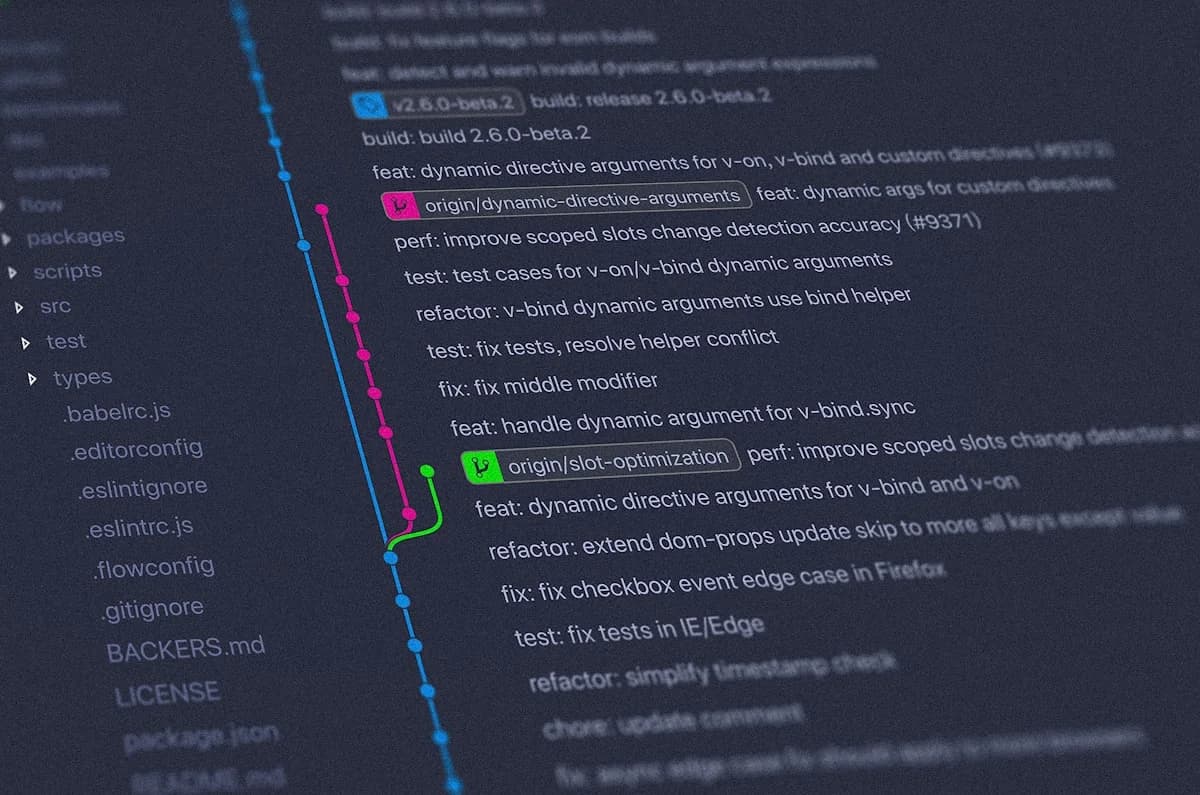
Fourth, look at the git log. Understanding how the codebase evolved tells you which parts are stable and which are actively changing. A file that has 47 commits in the last month is not a good place to make a first contribution. A utility module that has not changed in two years and has a well-scoped open bug report is ideal.
Types of Contribution
Code is not the only way to contribute, and for many projects it is not even the most needed contribution. The types of contribution that maintainers consistently value include:
Documentation: outdated or unclear documentation is one of the most common complaints about open source projects. Improving a README, fixing a broken example or writing a missing how-to guide are all genuine contributions that require no deep codebase knowledge.
Bug reports: a well-written bug report with a minimal reproducible example is more valuable than most code contributions. 'It does not work' is not a bug report. 'On Windows 11 with Python 3.12, calling function X with argument Y produces Z instead of the documented W, here is the minimal script that reproduces it' is a bug report.
Tests: adding test coverage for edge cases, fixing flaky tests or improving test infrastructure are contributions that help every future change to the project.
Code fixes: fixing a specific, well-scoped bug from the issue tracker. Not architectural refactors on your first contribution. Not rewriting a module. Fix one specific thing.
Translations: documentation and UI translations are valuable for many projects and rarely require deep technical knowledge.
Design and accessibility: improving visual design, fixing accessibility issues or contributing icon assets are legitimate contributions to projects that have a visual or UI component.
The Contribution Workflow
Git is the tool that makes open source contribution possible. The standard workflow is fork, clone, branch, commit, push, pull request. Here is each step with enough detail to actually follow it.
# 1. Fork the repo on GitHub (click Fork button) - creates your own copy
# 2. Clone YOUR fork, not the original
git clone https://github.com/YOUR_USERNAME/REPO_NAME.git
cd REPO_NAME

# 3. Add the original repo as 'upstream' so you can pull future changes
git remote add upstream https://github.com/ORIGINAL_OWNER/REPO_NAME.git

# 4. Create a branch for your change - name it descriptively
git checkout -b fix/broken-link-in-readme

# 5. Make your changes, then stage and commit them
git add README.md
git commit -m "fix: correct broken link in installation section"

# 6. Push your branch to YOUR fork
git push origin fix/broken-link-in-readme

# 7. Open a pull request on GitHub from your fork's branch to the upstream main
A few details that matter. Fork the repository rather than cloning it directly: you do not have write access to the original. Create a new branch for each contribution: committing directly to main in your fork makes it harder to manage multiple contributions simultaneously and makes syncing with upstream messy. Keep branches small and scoped: a pull request that changes three files for a single purpose is much easier to review than one that changes fifteen files for multiple purposes.
Writing Good Commit Messages and PR Descriptions
A commit message should describe what changed and, more importantly, why. 'Fix bug' is not a commit message. 'Fix null pointer in user lookup when session has expired' is a commit message. The Conventional Commits format (type: description) is widely used in open source: feat: add dark mode toggle, fix: prevent duplicate API calls on form submit, docs: update installation instructions for Windows. Check whether the project already uses this format before adopting it.
The pull request description is your opportunity to explain the change to the maintainer before they read a single line of code. A good PR description covers: what the change does, why it is needed (link to the issue it addresses), how you tested it and anything the reviewer should pay particular attention to. It does not need to be long. It needs to give the maintainer everything they need to understand and evaluate the change without asking you questions.
## What does this PR do?
Fixes the broken installation link in README.md that pointed to a deleted
documentation page. Updated to point to the current getting-started guide.

## Why is this needed?
Closes #247. New contributors were hitting a 404 on the first link they
clicked in the README, making a poor first impression.

## How was this tested?
Clicked the updated link in a browser preview. Verified the target page exists.

## Checklist
- [x] I have read CONTRIBUTING.md
- [x] My change passes all existing checks
Handling Review Feedback
Your pull request will receive feedback. Some of it will be requests for changes. Some of it will be questions. Some of it, if you are unlucky, will be terse and feel dismissive. None of it is personal.
The correct response to review feedback is: read it carefully, ask for clarification if you genuinely do not understand what is being asked, make the requested changes and push new commits to the same branch. Do not close the PR and open a new one. Do not argue with the reviewer's preferences even if you disagree. This is their project and you are contributing to their vision of it, not your own. If the feedback reveals a fundamental disagreement about the direction of the change, discuss it in the PR comments before investing more time coding.
Some pull requests do not get merged. The maintainer may have a different direction in mind. They may not have time to review it. The project may have become unmaintained. This is not a failure. Every pull request you write, even the ones that are not merged, teaches you about code review, about codebases and about communicating technical decisions. The practice has value independent of the outcome.
Common Mistakes Beginners Make
Opening a pull request without reading CONTRIBUTING.md first: most projects have specific requirements for how contributions should be structured. Ignoring these signals to the maintainer that you have not done the minimum expected work.
Making the PR too large: reviewers have limited time. A pull request that touches 20 files for multiple reasons will sit unreviewed. One file, one purpose, one clear description.
Not opening an issue before the PR: for any non-trivial change, comment on an existing issue or open a new one to describe what you want to do and get confirmation that the maintainer is interested before writing the code. Discovering your approach is not wanted after implementing it is demoralising and avoidable.
Copy-pasting solutions without understanding them: if you do not understand what your code does, you cannot defend it in review and you will not learn from the experience.
Getting discouraged by slow responses: open source maintainers are often volunteers working on their own time. A week of silence on a PR is completely normal. A month is not uncommon. Do not interpret silence as rejection.
Forgetting to sync your fork before starting work: if your fork is behind upstream by many commits, your PR will have merge conflicts that you could have avoided by running git fetch upstream and git rebase upstream/main before branching.
My Own Experience
I built git-unlocked, a free open source MIT-licensed Git and version control course, as a direct response to the frustration of finding existing Git resources either too shallow or paywalled. It spans 217 files covering Git, GitHub, GitLab, Bitbucket, Azure DevOps, IDEs, the terminal, real-world workflows, disaster recovery and a curated resources section. Every file covers Windows, Mac and Linux side by side. The course itself became an exercise in everything this post describes: maintaining a consistent structure across hundreds of files, writing a changelog that documents every decision and keeping the CI pipeline (GitHub Actions running markdown linting and link checking) green.
Beyond git-unlocked, I track merged pull requests to external repositories in my portfolio dashboard. The dashboard pulls from GitHub's API and surfaces the PRs I am most proud of. Seeing them listed there, each one a specific problem in a specific codebase that I found, understood and fixed, is a better record of growth than any course certificate. The habit of contributing builds on itself: each time you understand a new codebase from the outside, the next one takes less time.
The portfolio itself is open source on GitHub. Every post on this blog, every page of this site, every API route: all of it is publicly readable code. If you find a bug, there is a CONTRIBUTING.md. You know what to do.
The value of open source is not just the software. It is the record of how good engineers think.
- Something I understood after reading enough PRs
Watch: Contributing to Open Source
GitHub's official walkthrough of the fork-and-pull-request workflow, covering everything from finding issues to getting your PR merged.

Comments
Have a thought, correction or question? Sign in with GitHub - I read every comment and reply where I can.